API GeoJSON menggunakan FastAPI + PostGIS

Hi, my name is Hidayatullah. I am a GIS Engineer, Analyst, Specialist, and everything related to GIS. With over 5 years of experience, I am highly proficient in ArcGIS and QGIS.
I specialize in spatial topology methods, least square adjustment measurement methods, PostGIS with PostgreSQL, RDBMS databases, spatial generalization by scale, WebGIS Geoserveer/Mapserver/Mapproxy, and more.
If you're interested in my services, feel free to reach out via email at genhidayatullah@icloud.com.
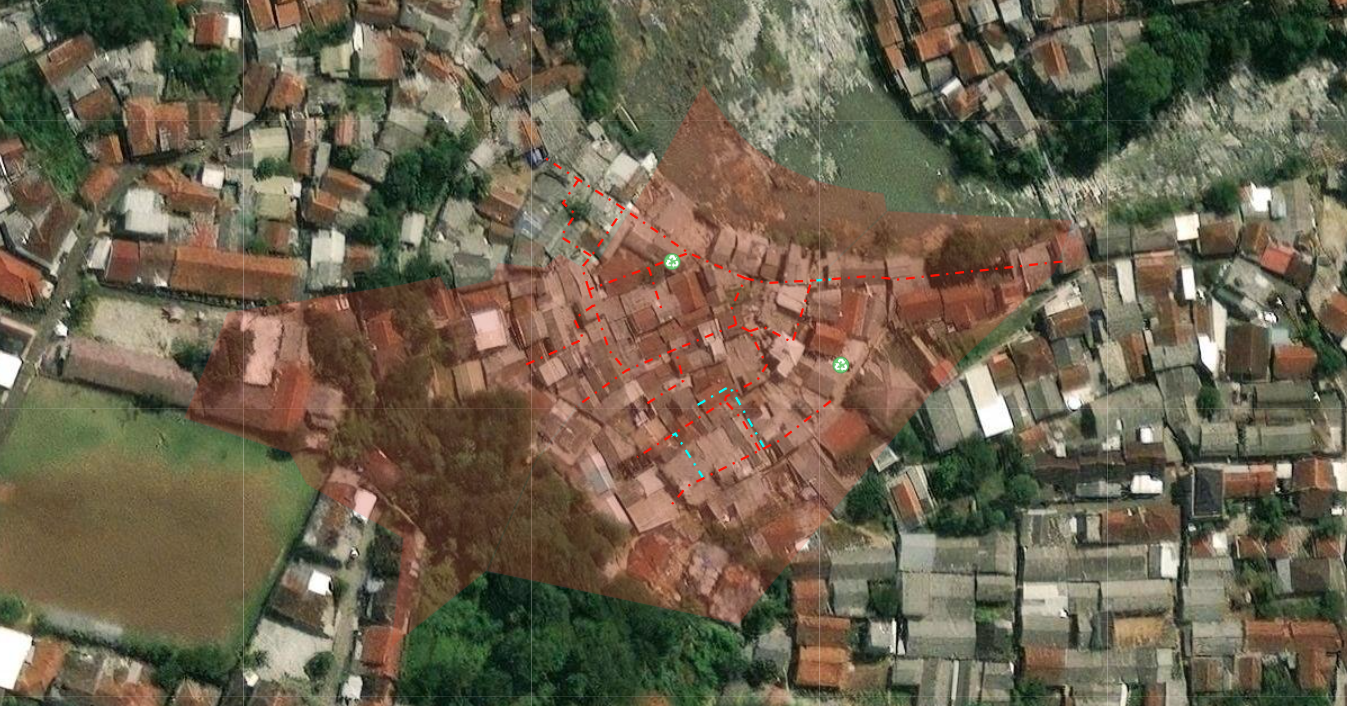
Pada kesempatan kali ini kita menggunakan data tabel dari buildings yang akan digunakan untuk menampilkan peta pada maplibre. Kali ini kita akan buat main.py pada fastapi dan melakukan konfigurasi API dalam bentuk GeoJSON yang nanti akan digunakan.
Kode pada main.py sebagai berikut:
from fastapi import FastAPI, HTTPException
import asyncpg
import json
import logging
import asyncio

# Inisialisasi FastAPI
app = FastAPI()

# Konfigurasi Logging
logging.basicConfig(level=logging.INFO, format='%(asctime)s - %(levelname)s - %(message)s')

# Koneksi ke PostgreSQL
async def get_pg_connection():
    return await asyncpg.connect(
        user='postgres', password='password',
        database='geodb', host='localhost', port=5432
    )

# Fungsi untuk mendengarkan perubahan di PostgreSQL
async def listen_pg_notifications():
    conn = await get_pg_connection()
    await conn.execute("LISTEN building_changes;")
    logging.info("Mendengarkan notifikasi dari PostgreSQL...")
    while True:
        msg = await conn.fetch("SELECT 1")
        if msg:
            logging.info("🔔 Perubahan di tabel buildings terdeteksi")
            # Lakukan tindakan yang diperlukan ketika ada perubahan

# Endpoint untuk mengambil data dari PostgreSQL
@app.get("/api/test")
async def get_geojson():
    try:
        logging.info("Menerima permintaan untuk GeoJSON data")

        conn = await get_pg_connection()

        query = """
            SELECT id, ST_AsGeoJSON(geom) AS geometry, name, description, photo
            FROM public.buildings;
        """
        rows = await conn.fetch(query)
        await conn.close()

        logging.info(f"Jumlah fitur ditemukan: {len(rows)}")

        features = []
        for row in rows:
            geometry = json.loads(row["geometry"])
            feature = {
                "type": "Feature",
                "geometry": geometry,
                "properties": {
                    "id": row["id"],
                    "name": row["name"],
                    "description": row["description"],
                    "photo": row["photo"]  # URL foto
                }
            }
            features.append(feature)

        if not features:
            logging.warning("Tidak ada fitur ditemukan")
            raise HTTPException(status_code=404, detail="No features found")

        geojson = {
            "type": "FeatureCollection",
            "features": features
        }

        logging.info("GeoJSON data generated")

        return geojson
    except HTTPException as e:
        logging.error(f"HTTP Exception: {e.detail}")
        raise e
    except Exception as e:
        logging.error(f"Exception: {str(e)}")
        raise HTTPException(status_code=500, detail=str(e))

# Jalankan LISTEN/NOTIFY saat aplikasi dimulai
@app.on_event("startup")
async def startup_event():
    asyncio.create_task(listen_pg_notifications())
untuk kode html nya sendiri, ditambahkan dengan kode seperti berikut:
map.on('load', function () {
  fetch('https://dayat.web.id/api/test')
    .then(response => response.json())
    .then(data => {
      map.addSource('geojson-data', {
        type: 'geojson',
        data: data
      });

      map.addLayer({
        id: 'geojson-fill',
        type: 'fill',
        source: 'geojson-data',
        paint: {
          'fill-color': '#ff0000',
          'fill-opacity': 0 // Fill transparan
        }
      });

      map.addLayer({
        id: 'geojson-outline',
        type: 'line',
        source: 'geojson-data',
        paint: {
          'line-color': '#ff0000',
          'line-width': 2,
          'line-opacity': 1,
          'line-dasharray': [1, 2] // Dash kecil dan rapat
        }
      });

      let dashOffset = 0;
      function animateLine() {
        dashOffset = (dashOffset + 0.2) % 3; // Lebih lambat tapi tetap jalan
        map.setPaintProperty('geojson-outline', 'line-dasharray', [1, 2, dashOffset]);
        setTimeout(animateLine, 50); // Pakai setTimeout biar lebih smooth
      }
      animateLine();
    })
    .catch(error => console.error('Error loading GeoJSON:', error));
});
Nanti hasilnya seperti berikut: